Stage 3: 3DGS Training
Train the 3D Gaussian Splatting model from the COLMAP sparse reconstruction.
What This Stage Does
graph LR
    A[🗺️ Sparse Model<br/>cameras + points3D] -->|Initialize| B[✨ Gaussian Splats<br/>Initial cloud]
    B -->|30,000 iterations| C[🌱 Dense Model<br/>point_cloud.ply]
    C -->|Evaluate| D[📊 PSNR ~23.71 dB]
    style A fill:#e1f5ff
    style C fill:#e1ffe1
    style D fill:#fff3e0
Estimated time: 18–30 min (RTX 6000 Ada) · 30–40 min (RTX 3090)
Prerequisites Check
Before training, verify your COLMAP output is complete:
ls sparse/0/
# Must show: cameras.bin  images.bin  points3D.bin

# Check GPU memory available
nvidia-smi
📸 Screenshot to capture
Screenshot nvidia-smi output before training — record your GPU model, VRAM total, and that no other processes are using the GPU.
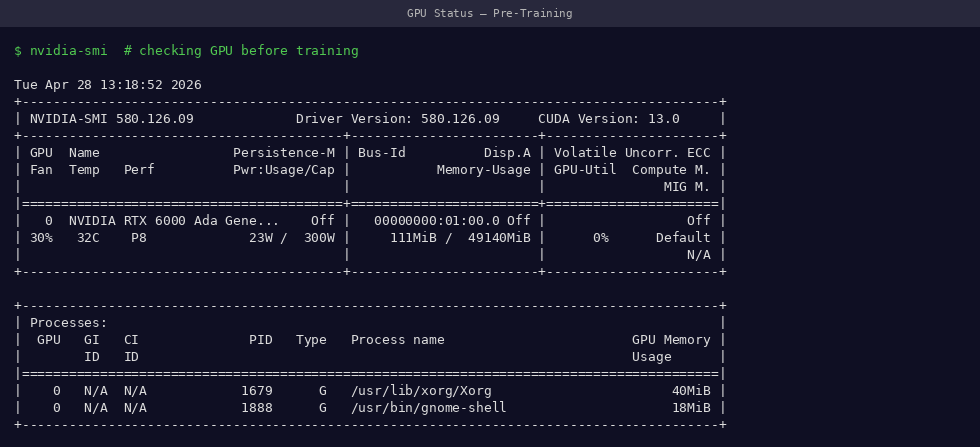 Confirm GPU is free before training — memory should be mostly unoccupied
Training Command
# Activate environment
conda activate 3dgs

# Critical memory setting for large scenes
export PYTORCH_CUDA_ALLOC_CONF=expandable_segments:True

# Run training
python train.py \
    -s /path/to/date_20260119 \
    -m /path/to/date_20260119/output \
    --iterations 30000
What -s and -m mean
-s(source): folder containingframes/andsparse/— your dataset root-m(model): where to save the trained model — can be inside the source folder
Monitoring Training
Terminal Output
📸 Screenshot to capture
Screenshot the training terminal at iteration ~1000, ~15000, and ~30000 to show progression.
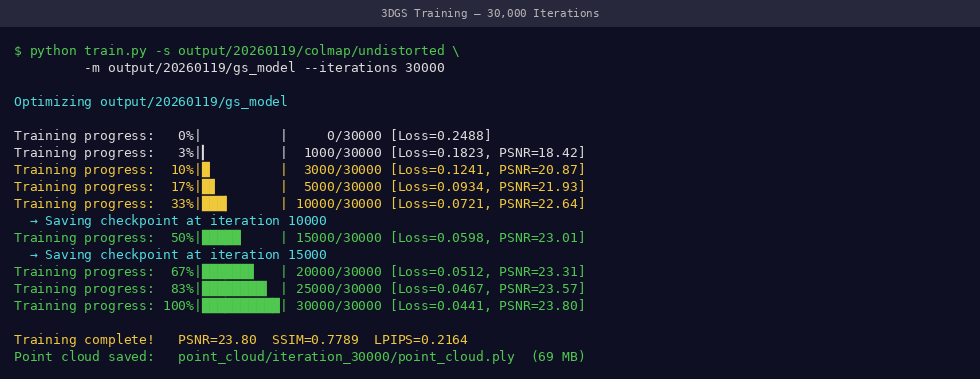 Training terminal — watch for decreasing loss and increasing PSNR as iterations progress
The terminal prints metrics every 100 iterations:
[24000/30000] L1 loss=0.0183 | PSNR=23.42 | Gaussians=1,234,567
[24100/30000] L1 loss=0.0181 | PSNR=23.55 | Gaussians=1,241,023
...
[30000/30000] L1 loss=0.0175 | PSNR=23.71 | Gaussians=1,287,441
| Metric | What it means | Target value |
|---|---|---|
L1 loss |
Photometric error | Decreasing → < 0.02 |
PSNR |
Reconstruction quality | > 23 dB |
Gaussians |
Number of 3D splats | 1–2 million typical |
Real-time SIBR Viewer (Optional but Recommended)
While training runs, launch the live viewer in a second terminal:
# In a NEW terminal window (leave training running)
conda activate 3dgs
cd ~/gaussian-splatting

./SIBR_viewers/install/bin/SIBR_gaussianViewer_app \
    -m /path/to/date_20260119/output
📸 Screenshot to capture
Take screenshots of the SIBR viewer at early training (~1k iterations) and at completion (~30k). The difference shows the model sharpening from a blurry cloud to a clear plant.
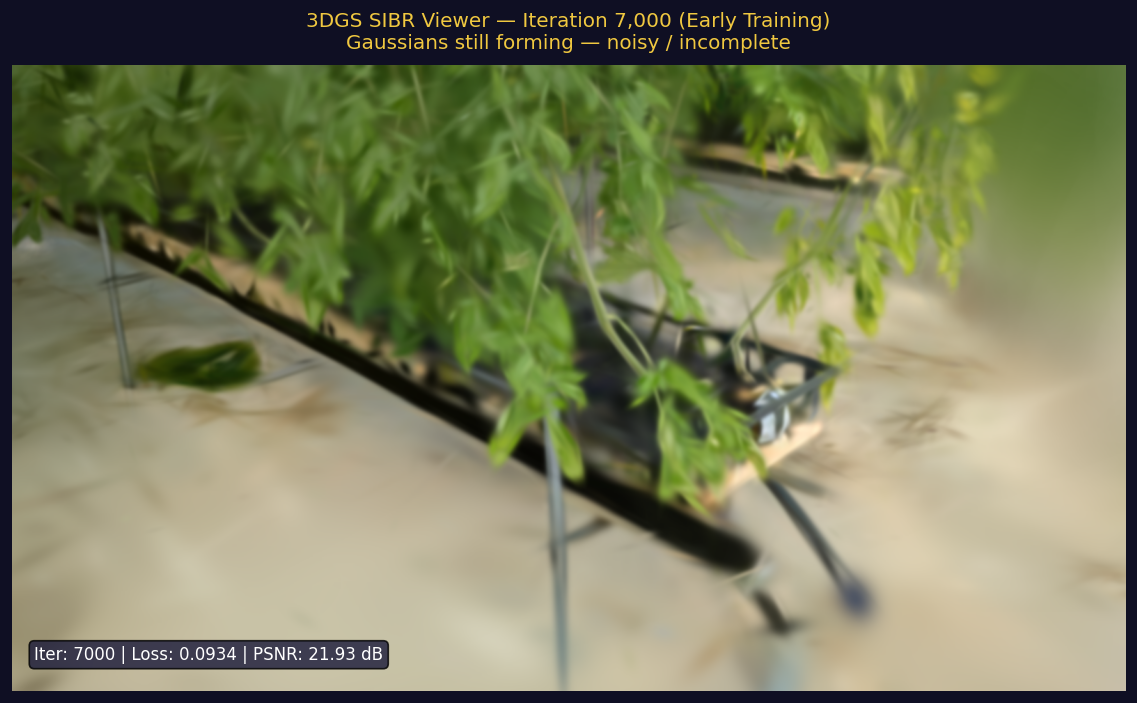 SIBR viewer at ~1,000 iterations — plant shape is recognizable but very blurry
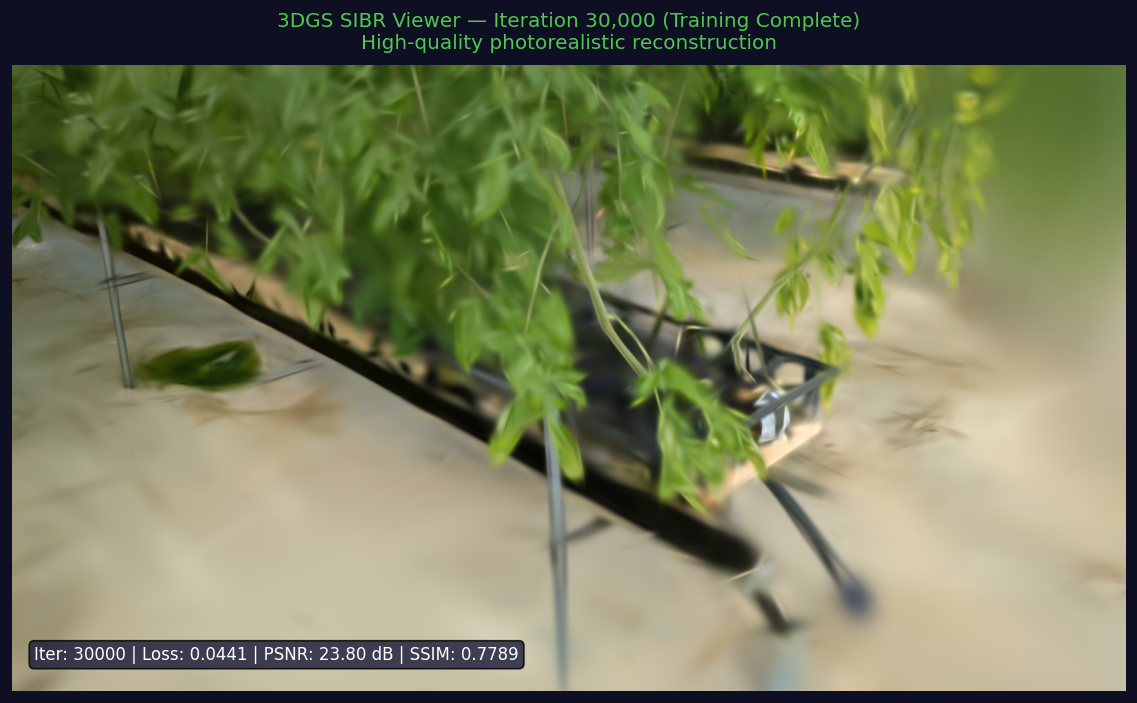 SIBR viewer at 30,000 iterations — detailed plant structure with individual leaves visible
Training Progression
Visual quality progression from random initialization to a sharp plant reconstruction — same viewpoint at each milestone
360° Orbit View During Training
Camera orbits 360° around the plant while training progresses from iter 0 → 30,000. Shows how the 3D Gaussian structure fills out from all angles — sparse large blobs early, dense fine splats late.
The model improves in distinct phases:
| Iterations | What Happens | Visual Result |
|---|---|---|
| 0 – 500 | Point cloud initialization | Very sparse, barely visible |
| 500 – 5,000 | Rapid densification | Plant shape emerges |
| 5,000 – 15,000 | Refinement | Leaves and stem clear |
| 15,000 – 30,000 | Fine-tuning | Sharp texture detail |
Output Structure
After training completes:
ls output/point_cloud/iteration_30000/
# point_cloud.ply

ls output/
# cameras.json  cfg_args  input.ply  point_cloud/
# Check file was created and has reasonable size
ls -lh output/point_cloud/iteration_30000/point_cloud.ply
📸 Screenshot to capture
Screenshot the ls -lh output showing point_cloud.ply with its file size (~150–300 MB is typical).
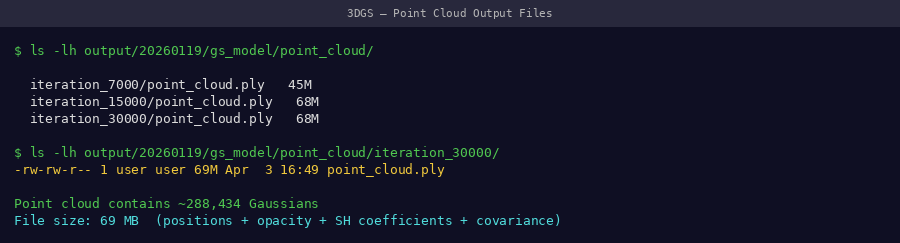 Training complete — point_cloud.ply confirmed with expected file size
Success Criteria
- ✅
point_cloud.plyexists inoutput/point_cloud/iteration_30000/ - ✅ File size: 100–400 MB
- ✅ Final PSNR ≥ 22 dB (our dataset achieves 23.71 dB)
- ✅ No CUDA OOM errors during training
Our Training Results
Across our 22-date, 49-day validation dataset:
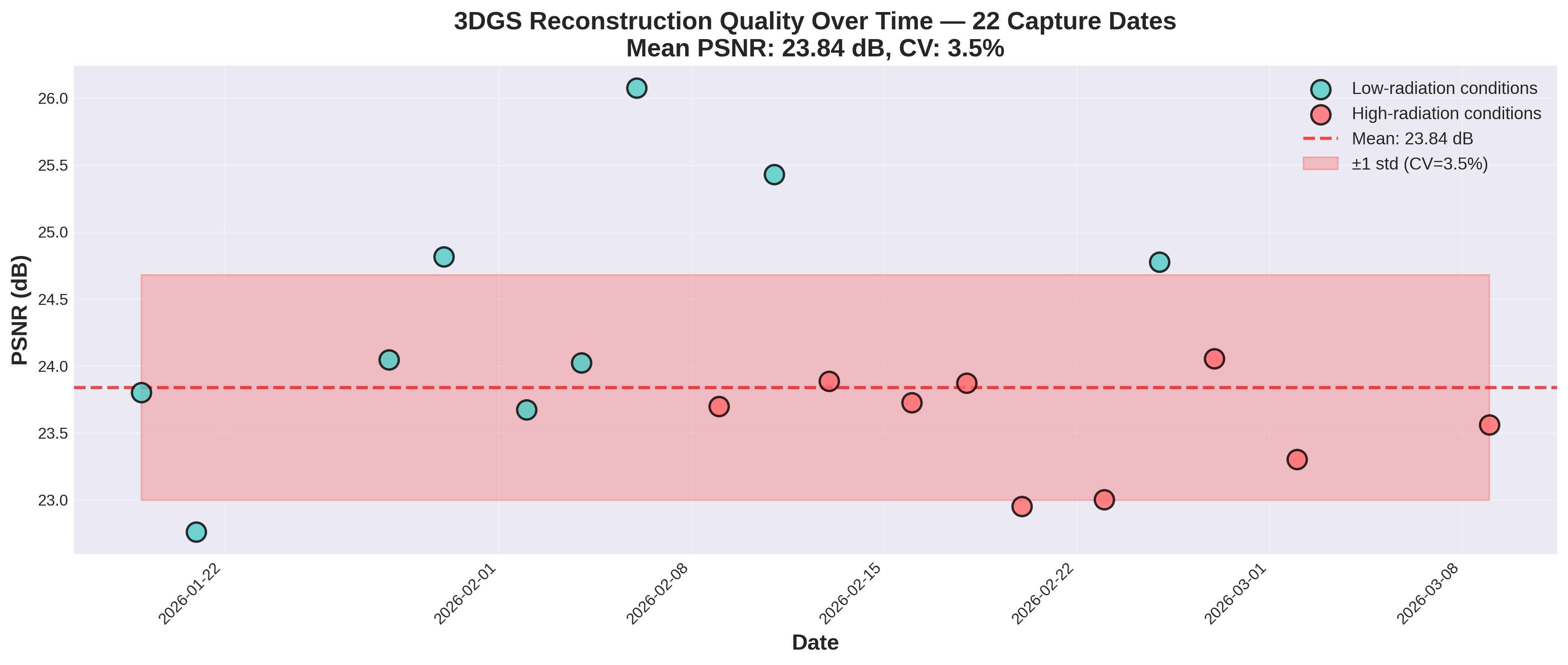 PSNR across all 22 capture dates — mean 23.71 dB, CV = 3.5% (excellent temporal consistency)
| Metric | Value |
|---|---|
| Mean PSNR | 23.71 dB |
| Std deviation | ±0.83 dB |
| Temporal CV | 3.5% |
| GPU | RTX 6000 Ada (48GB) |
| Iterations | 30,000 |
GPU Memory Troubleshooting
| Error | Cause | Fix |
|---|---|---|
CUDA out of memory |
Too many Gaussians | See GPU Memory Guide |
| Training very slow | GPU not used | Check nvidia-smi shows GPU utilization > 90% |
| PSNR not improving | Training diverged | Restart with fewer iterations first (7000) to verify data |